🎯 About This Guide
This guide shows how to use our variety comparison tool to make informed decisions. You'll learn how to compare 2 varieties, several varieties, or all available varieties at once.
🚀 Go to Comparison Tool📋 Types of Variety Comparison
Our tool allows three types of comparison depending on your needs:
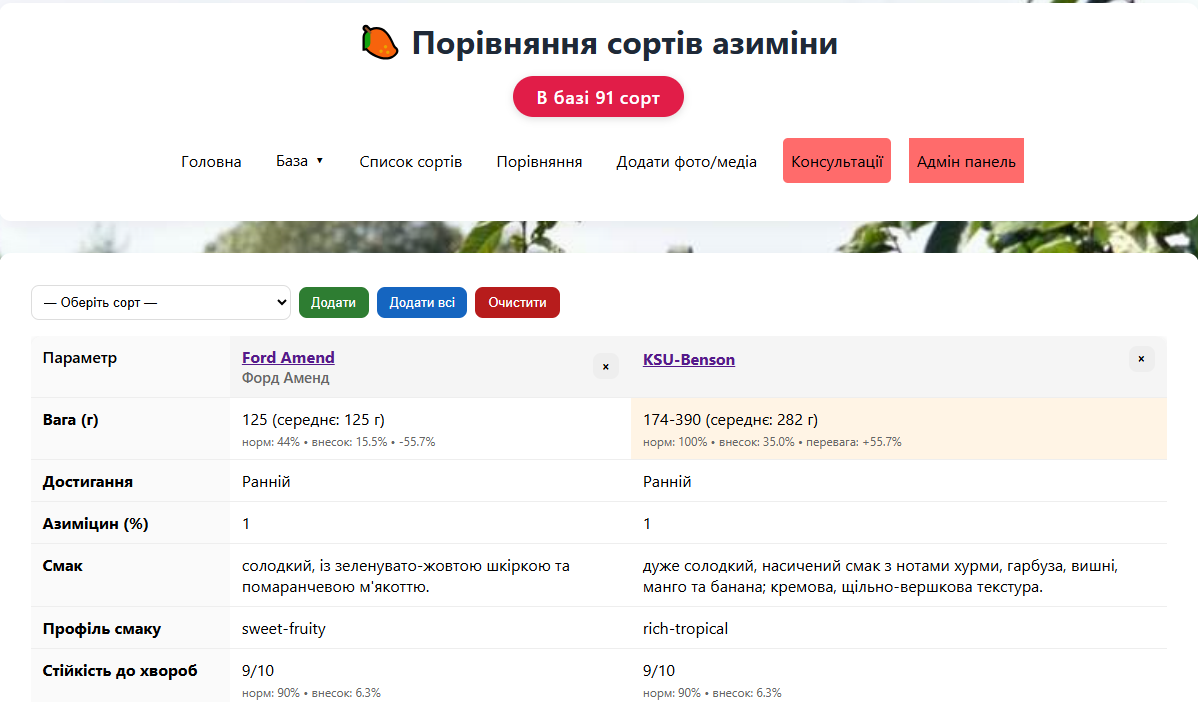
🔍 Comparing 2 Varieties
When to use: When choosing between two specific varieties
Advantages: Detailed comparison of all characteristics
Example: Mammoth X vs Prolific
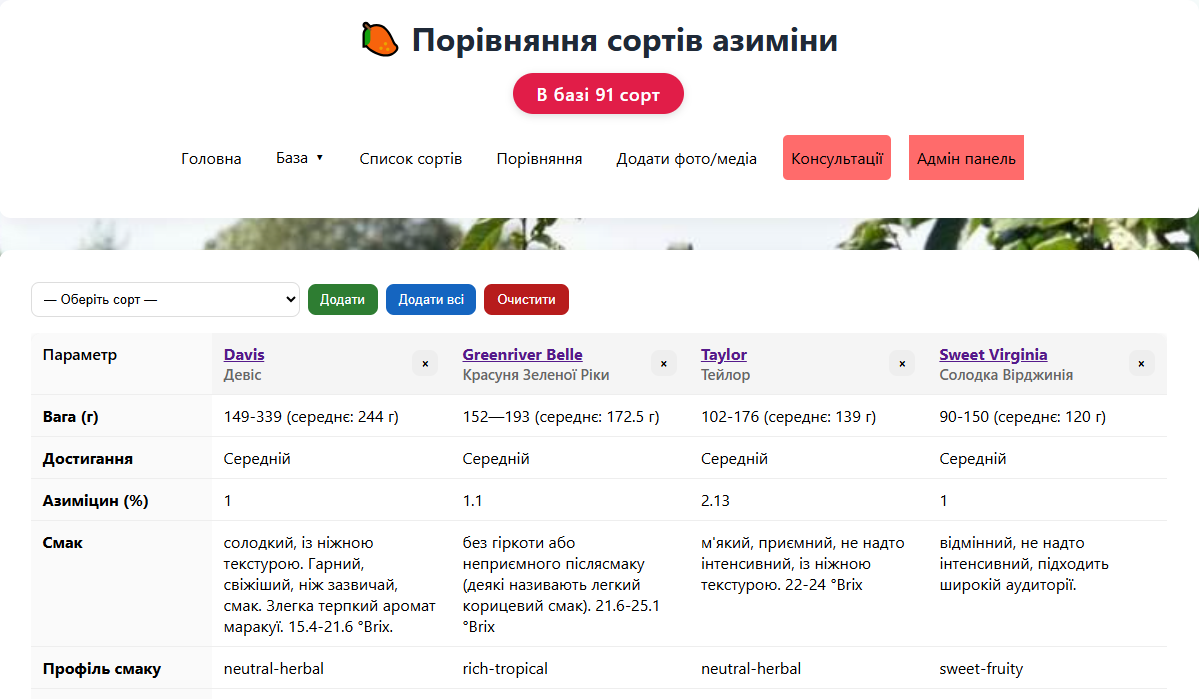
📊 Comparing Several Varieties
When to use: When you need to compare 3-5 varieties of the same ripening period
Advantages: Quick comparison of key indicators
Example: Top 5 early varieties
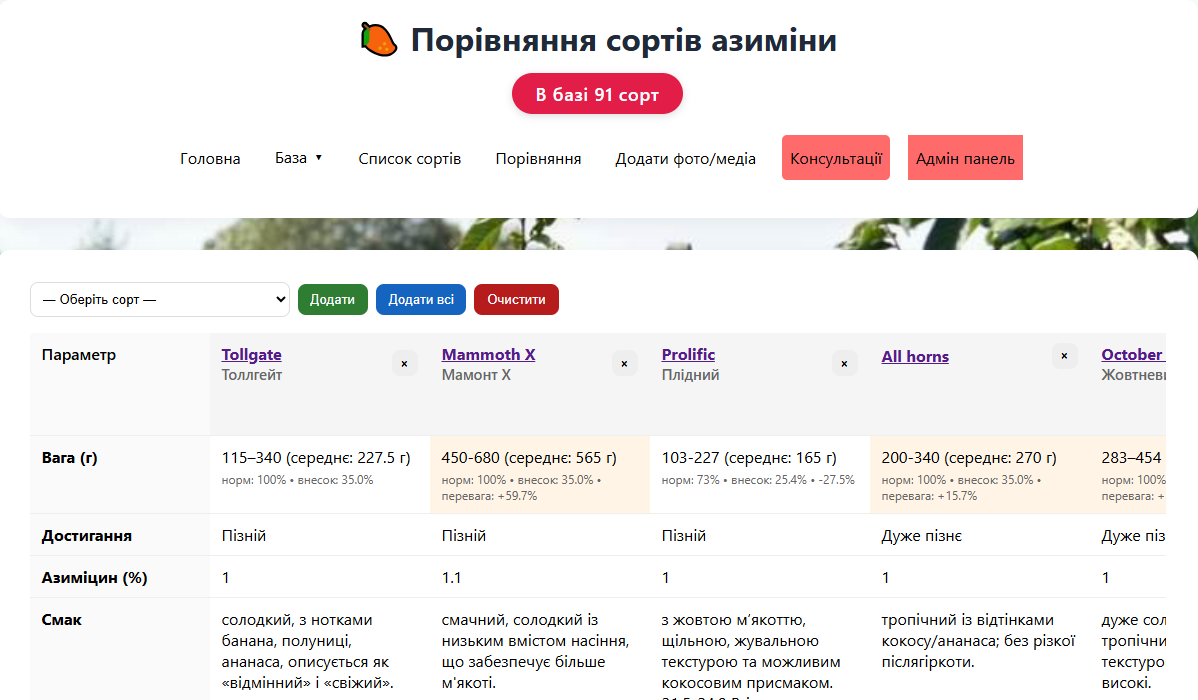
🌐 Comparing All Varieties
When to use: For a general overview of all available varieties
Advantages: Complete picture of the variety market
Example: Choosing the best variety for your region
🔍 How to Compare 2 Varieties
📊 How to Compare Several Varieties
🌐 How to Compare All Varieties
⚙️ Comparison Tool Features

- Regional adaptation: Ripening periods are automatically adjusted for your region
- Interactive filters: Easily filter varieties by needed criteria
- Detailed information: Complete characteristics of each variety
- Visual comparison: Charts and tables for easy analysis
- Export results: Ability to save comparison results
💡 Practical Tips
For beginners:
Start by comparing 2-3 varieties of the same ripening period. This will help you understand the differences between varieties without information overload.
For experienced gardeners:
Use the all-varieties comparison mode with filters to find the best options for specific conditions.
For commercial growing:
Compare the top 5 varieties of each ripening period for maximum yield and quality.
⚠️ Important Notes
- Always consider your region - ripening periods may differ
- Compare varieties of the same ripening period for a fair comparison
- Don't focus on just one characteristic - it's important to consider all factors
- Check data currency - varieties may be updated
✅ Result of Successful Comparison
After using the comparison tool, you should have:
- Clear understanding of the advantages and disadvantages of each variety
- Informed choice of the best variety for your conditions
- Action plan for growing the selected variety
- Backup options in case of problems with the main variety
🔗 Additional Resources
For more detailed study, we recommend:
- How to Properly Compare Pawpaw Varieties - theoretical foundations of comparison
- Ripening Terms System (UA) - regional features
- Complete Variety Catalog - detailed information about each variety
- Comparison Tool - practical application
Proper variety comparison is the foundation of successful pawpaw growing